Culling
Your best shots are already waiting for you.
Kestrel scores every frame for sharpness, groups your bursts into scenes, and sorts them sharpest-first — so your review session is about artistic decisions, not pixel-peeping.
Rejected photos go into a /Kestrel Rejects folder. Archive them or
delete them yourself — whenever you're ready, on your own terms.


Culling Rules
Set your standards. Watch your outing sort itself.
These are the three rules Kestrel's Culling Assistant runs over every scene. Drag them and a real 156-photo outing re-sorts live — sharpest kept, the rest moved aside. Click any photo to overrule Kestrel; hover to see the full frame.
/Kestrel Rejects
Nothing is ever deleted. Click a photo to move it yourself.
Culling Assistant
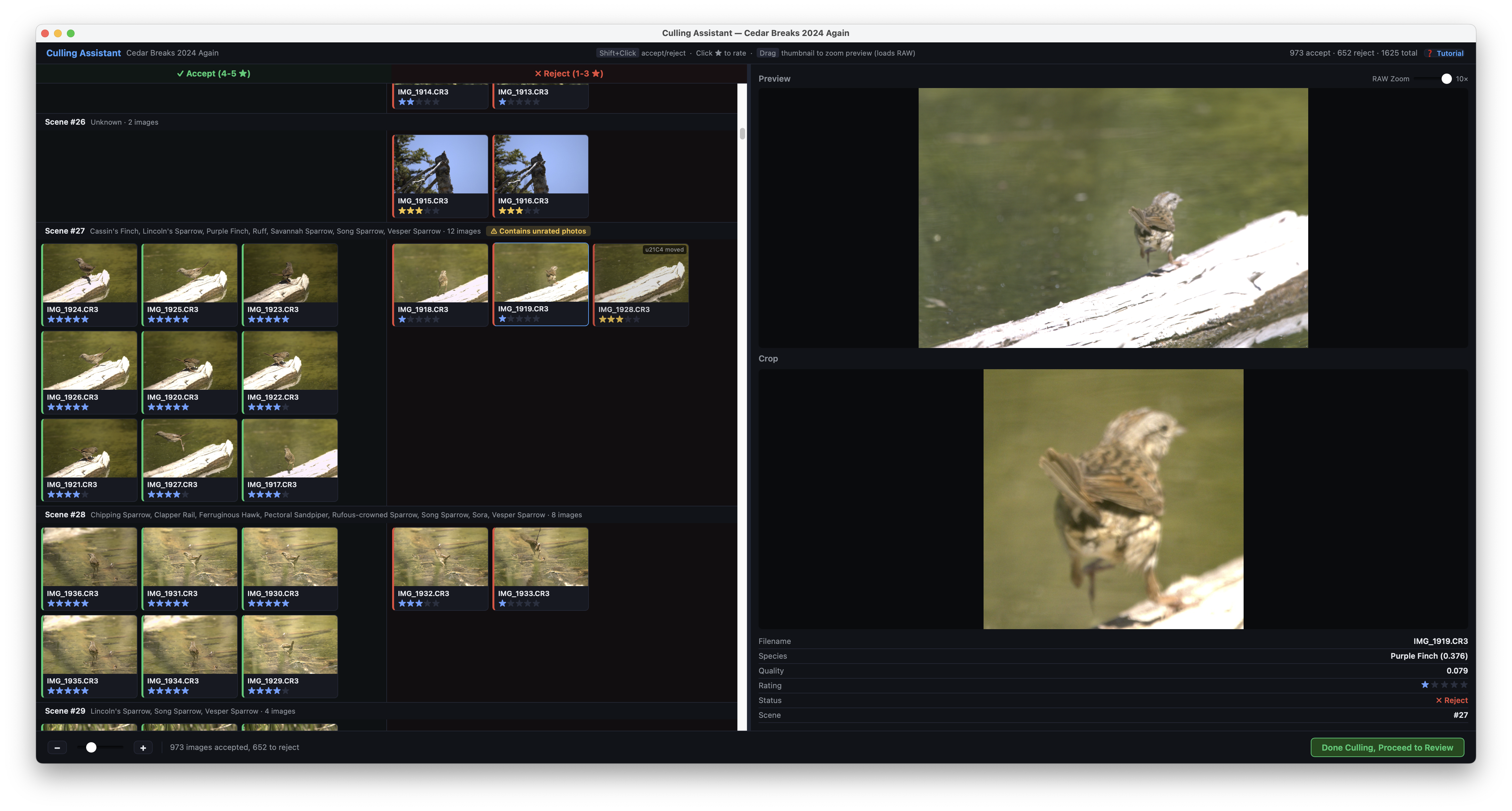
That preview? It's the real thing.
Built for the days when you come home with 2,000 frames and need to quickly cut the bulk.
Auto-Assessed Piles
Scenes are automatically grouped. The sharpest frames confidently rise to the top of your Accept pile.
Review & Decide
Skim the reject pile to rescue anything you love, then archive it to a folder — or send your keepers straight to your editor. Every decision stays yours.
Editor Sync
All picks sync smoothly. Kestrel generates XMP sidecar files natively supported by almost all photo editors.
Ready to reclaim your evenings?
Project Kestrel is free and open source, and your original files never leave your computer.